itariff
Time
1 Quarter
Time
1 Quarter
Role
Senior Product Designer
Role
Senior Product Designer
Service
Product Design
Service
Product Design
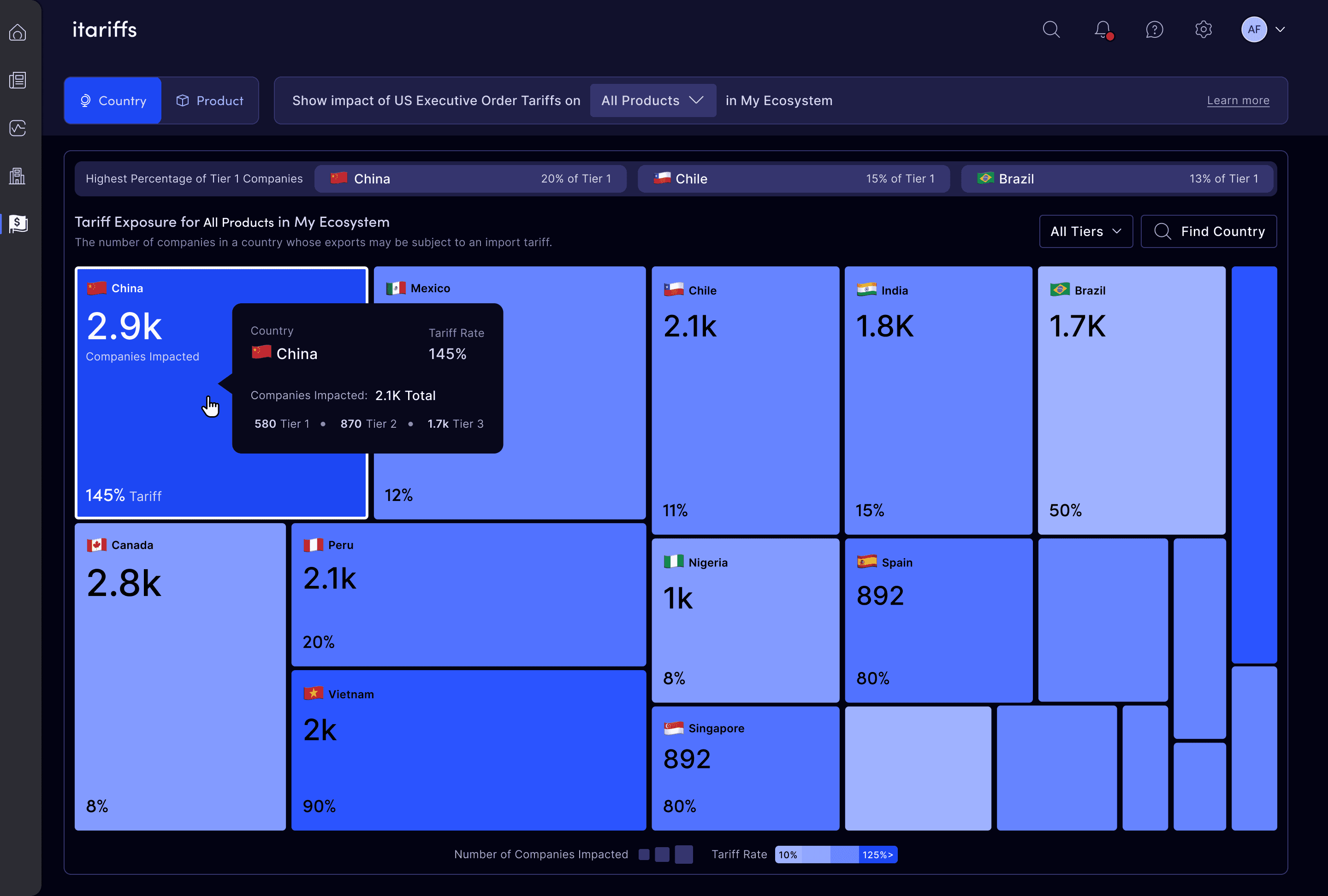
With the USA constantly changing tariff rates, we quickly designed a solution that allowed users to assess the impacts to their supply chain.
Background & Goal
Background & Goal
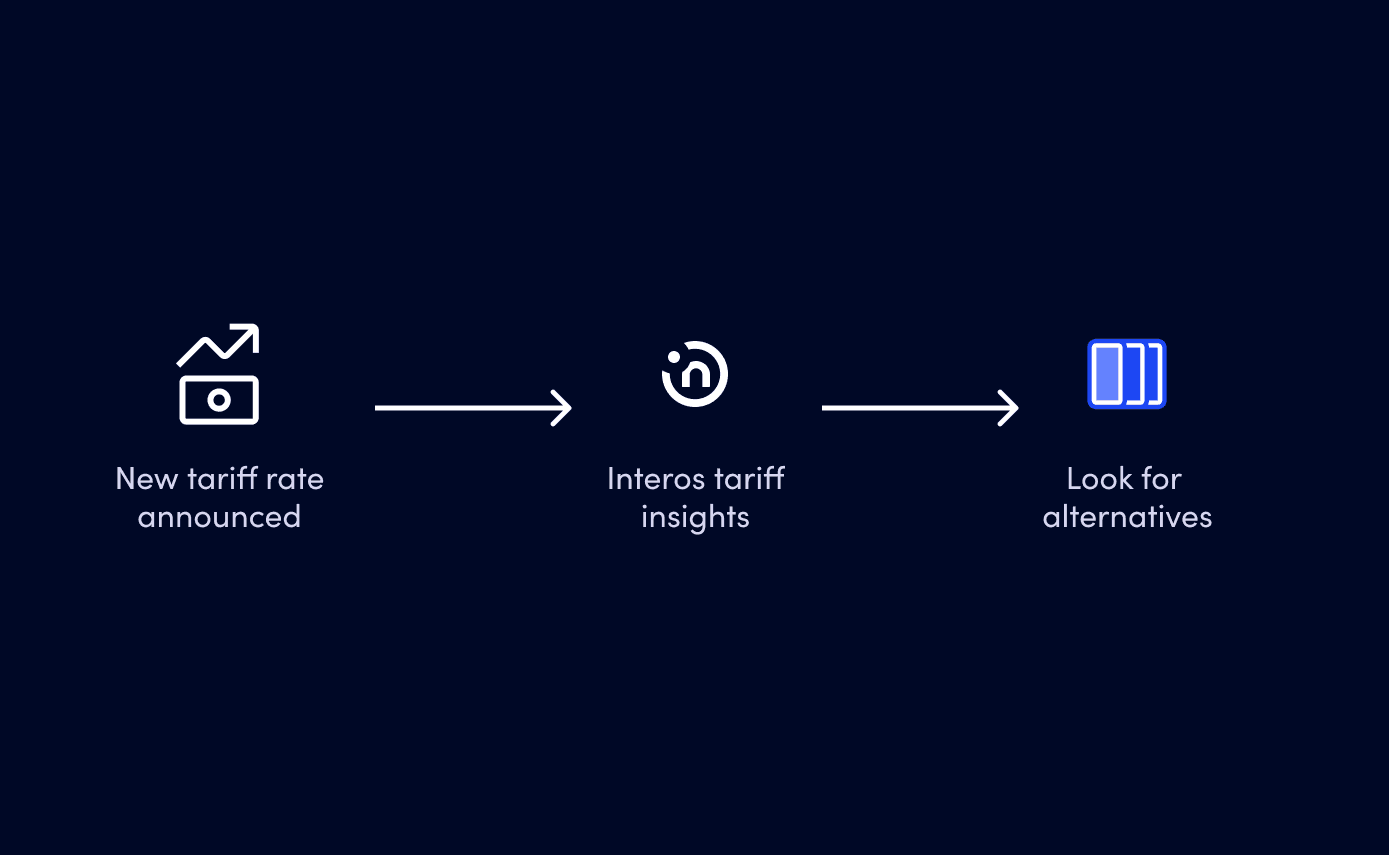
When tariff rates spiked, our users had urgent questions about the impact on their physical supply chains. They fell into two groups: customers with suppliers in other countries, and customers whose direct suppliers were all in the US. Without a clear view, analysts couldn’t quantify their exposure in dollars or decide where to act.
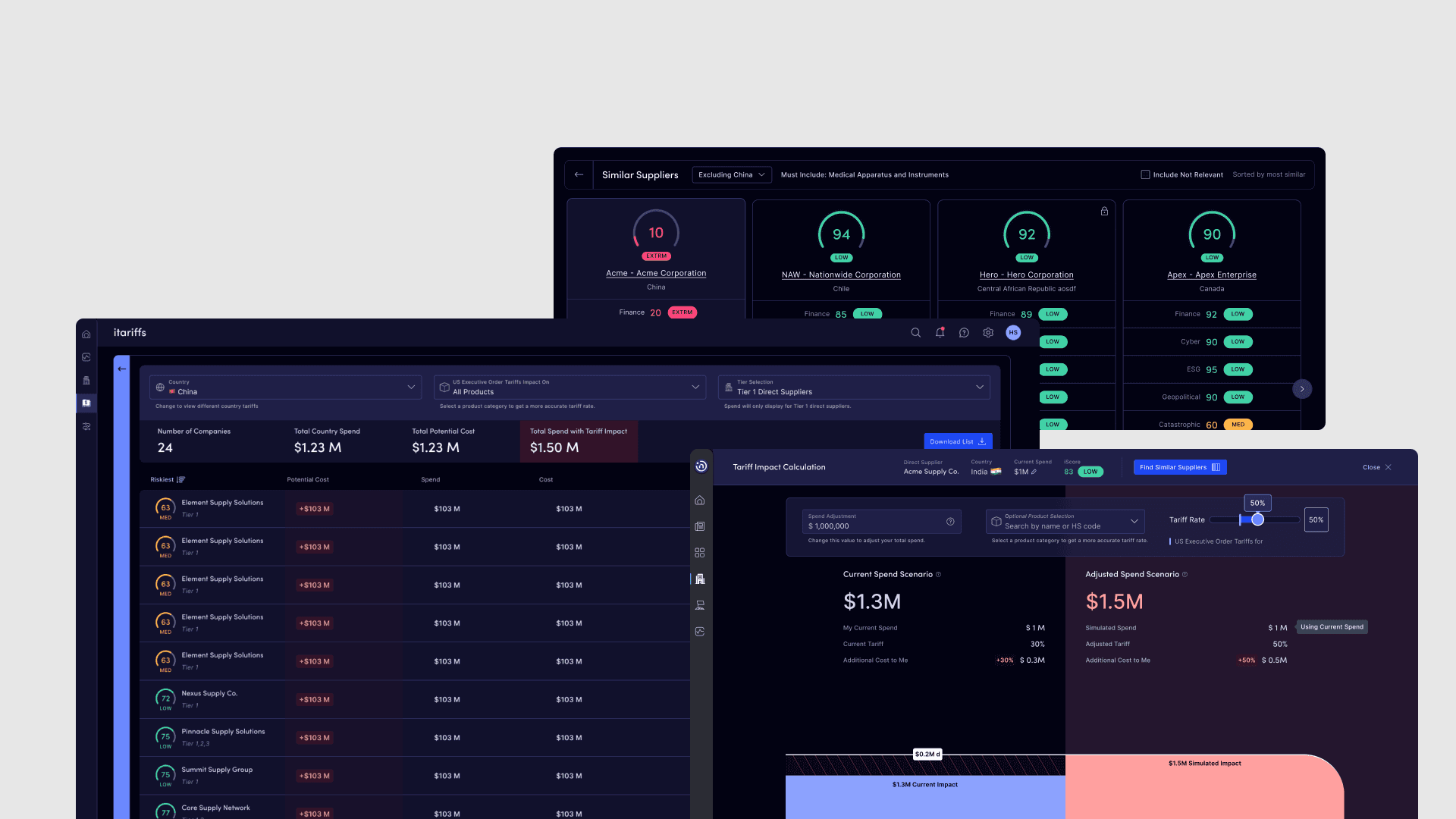
As senior product designer, I designed a tariff dashboard that shows the dollar impact of tariffs on direct suppliers, with visibility into sub-tier suppliers and a breakdown of how each product bought from each country is tariffed. We also saw it as a chance to test new actionability features.
When tariff rates spiked, our users had urgent questions about the impact on their physical supply chains. They fell into two groups: customers with suppliers in other countries, and customers whose direct suppliers were all in the US. Without a clear view, analysts couldn’t quantify their exposure in dollars or decide where to act.
As senior product designer, I designed a tariff dashboard that shows the dollar impact of tariffs on direct suppliers, with visibility into sub-tier suppliers and a breakdown of how each product bought from each country is tariffed. We also saw it as a chance to test new actionability features.
Initial Feedback
Initial Feedback
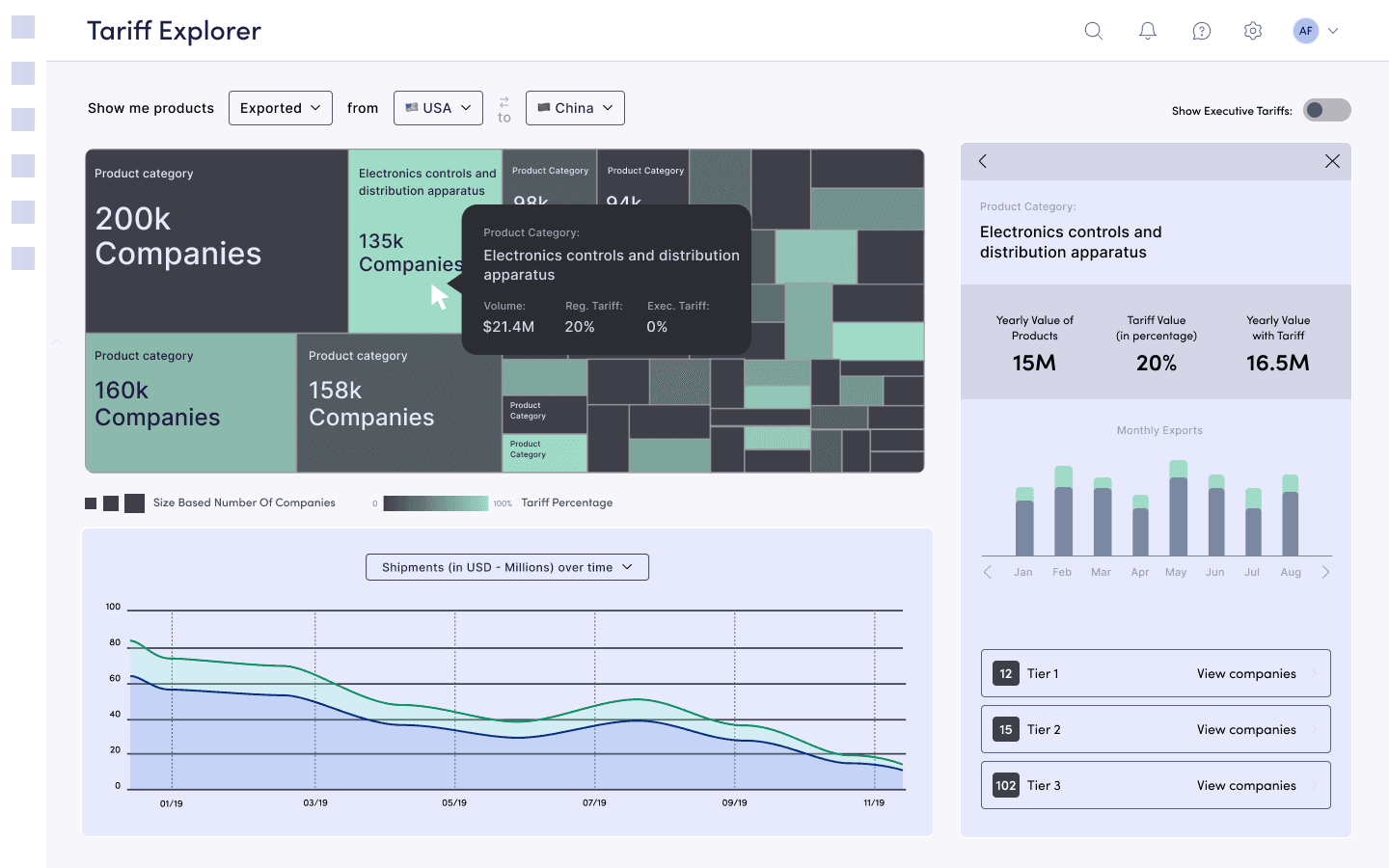
Our main constraints were data availability and timeline. I sketched wireframes with the data team to define what the tariff and product relationships needed to show for an MVP. That scope shifted as tariffs became more relevant and customers were still learning to manage a new risk. We also wanted to release quickly to stay ahead of competitors.
Within that scope, I tested several layouts and visualizations. A tree map worked best for scanning: size and color showed which countries had the highest supplier concentration and tariff rates. It struggled when users needed to drill down to the highest-impact supplier.
We left two ideas out of the first release. A tariff simulator didn’t earn a place because most customers could do the simple calculation themselves. Alternative suppliers were valuable, but not required to show tariff impact, so they waited for a later update.
Our main constraints were data availability and timeline. I sketched wireframes with the data team to define what the tariff and product relationships needed to show for an MVP. That scope shifted as tariffs became more relevant and customers were still learning to manage a new risk. We also wanted to release quickly to stay ahead of competitors.
Within that scope, I tested several layouts and visualizations. A tree map worked best for scanning: size and color showed which countries had the highest supplier concentration and tariff rates. It struggled when users needed to drill down to the highest-impact supplier.
We left two ideas out of the first release. A tariff simulator didn’t earn a place because most customers could do the simple calculation themselves. Alternative suppliers were valuable, but not required to show tariff impact, so they waited for a later update.
UI Solution
UI Solution
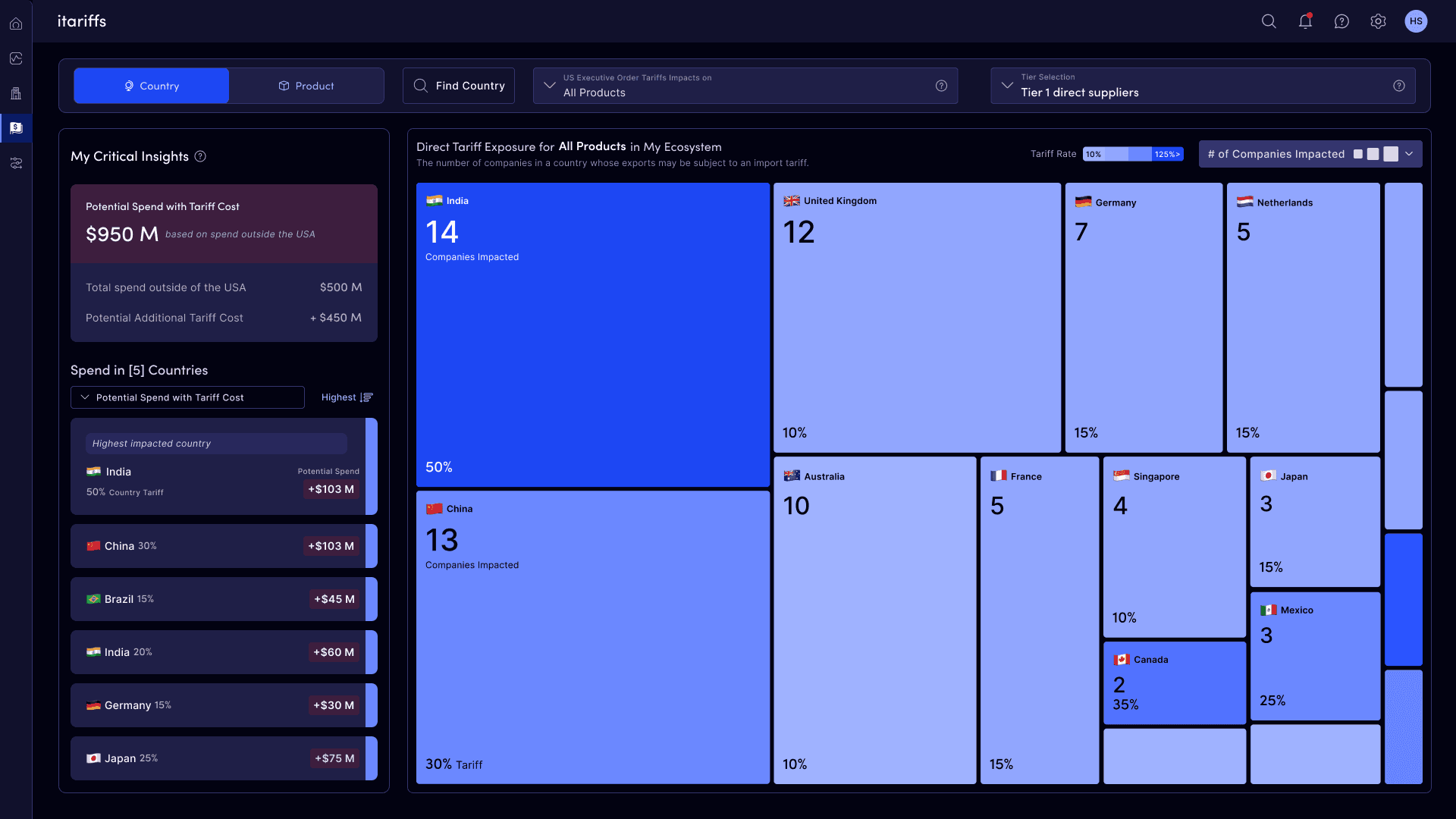
The tariff dashboard shows users how much tariffs are costing them and which countries and suppliers drive the impact. Feedback after the first release shaped what came next:
An overview metric. Advanced users liked the tree map for exploring sub-tier impact but wanted a summary on the landing page. I worked with them and our data engineers to add a spend metric.
A clearer audience. US-only customers found the dashboard confusing: “It’s hard to understand because I don’t deal with any suppliers outside the US, so none of these suppliers are mine.” We learned they were probably not the target users for the initial release.
Actionability and delight. Our CPO wanted the flow to end in action and the product to feel more alive. Alternative suppliers shipped two sprints later, since I had already tested the idea and prepared design options. I also added micro animations to buttons, loading states, and feedback components.
The dashboard keeps evolving as we work with our most active users and learn together how to manage this new risk.
The tariff dashboard shows users how much tariffs are costing them and which countries and suppliers drive the impact. Feedback after the first release shaped what came next:
An overview metric. Advanced users liked the tree map for exploring sub-tier impact but wanted a summary on the landing page. I worked with them and our data engineers to add a spend metric.
A clearer audience. US-only customers found the dashboard confusing: “It’s hard to understand because I don’t deal with any suppliers outside the US, so none of these suppliers are mine.” We learned they were probably not the target users for the initial release.
Actionability and delight. Our CPO wanted the flow to end in action and the product to feel more alive. Alternative suppliers shipped two sprints later, since I had already tested the idea and prepared design options. I also added micro animations to buttons, loading states, and feedback components.
The dashboard keeps evolving as we work with our most active users and learn together how to manage this new risk.
And More...
And More...
Curious about this case study? There is more to see so lets chat if you want more details on design decisions, detailed outcomes, dev communication and more.
Curious about this case study? There is more to see so lets chat if you want more details on design decisions, detailed outcomes, dev communication and more.
